HALO Trade Copier
Local-first trade copying for Tradovate.
A Windows desktop companion that mirrors your orders across multiple Tradovate accounts — with hedge guard, protective brackets, and scheduled flatten. Everything runs on your own PC: your tokens and trading data never leave your machine.
Slow download from our site? Use a cloud mirror:
See HALO in action
A clean, light interface built for real trading — everything you need on one panel, nothing you don't.


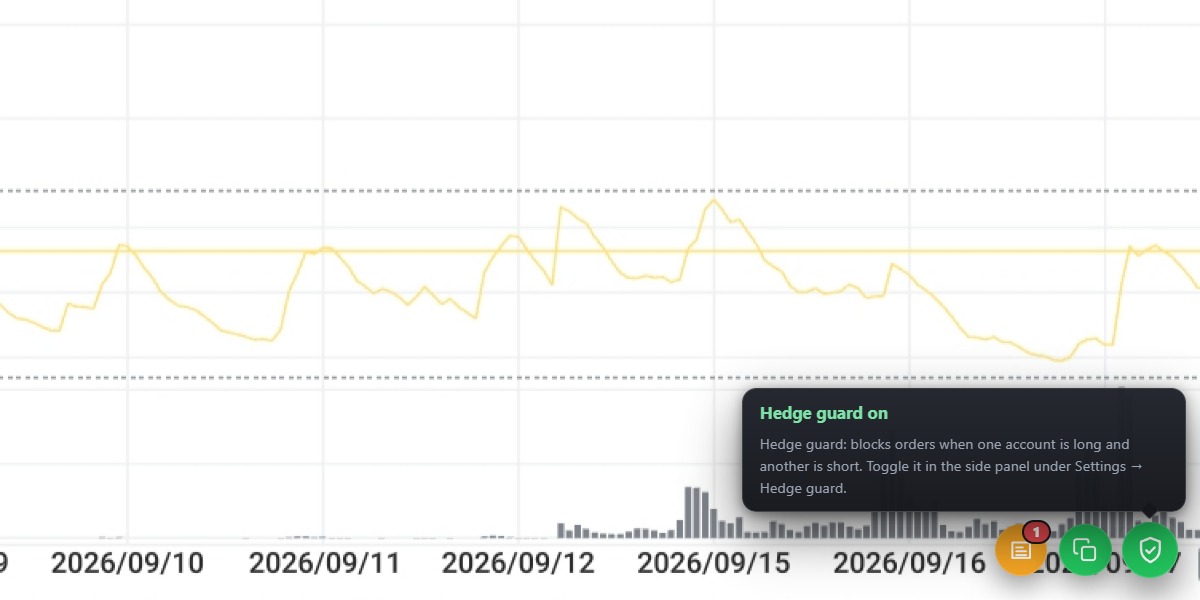
Controls float over your chart
Copy status, news alerts, and hedge guard live as floating buttons on top of the Tradovate chart — always one click away, never in the way.
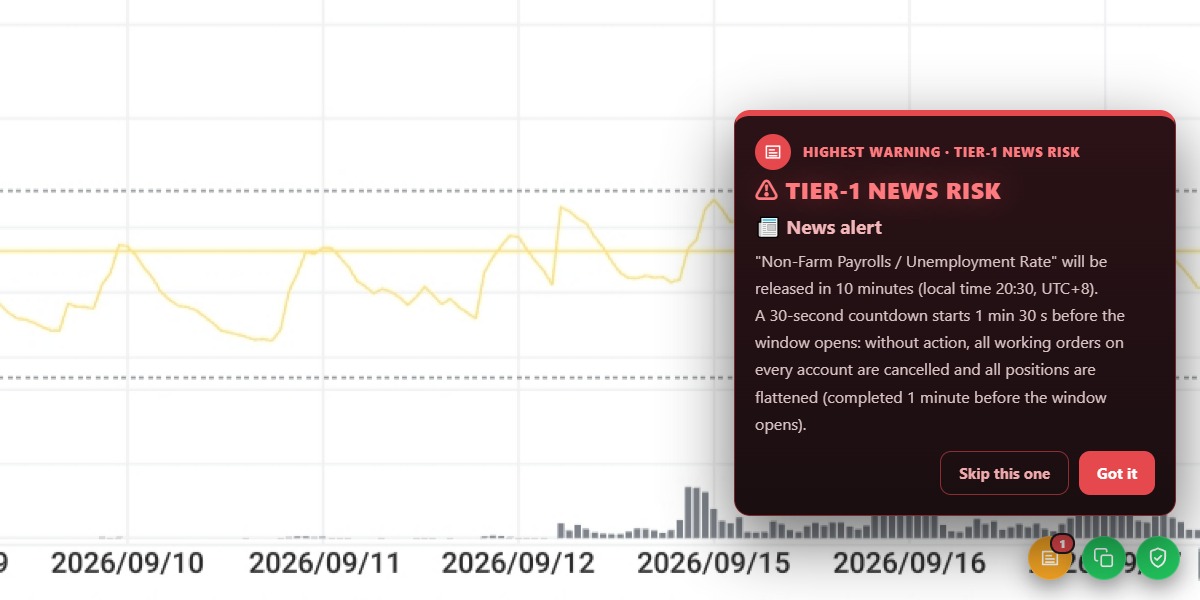
Warned before the news hits
FOMC, NFP, CPI, and unemployment reports — a local-time countdown with optional auto-flatten the moment it releases.
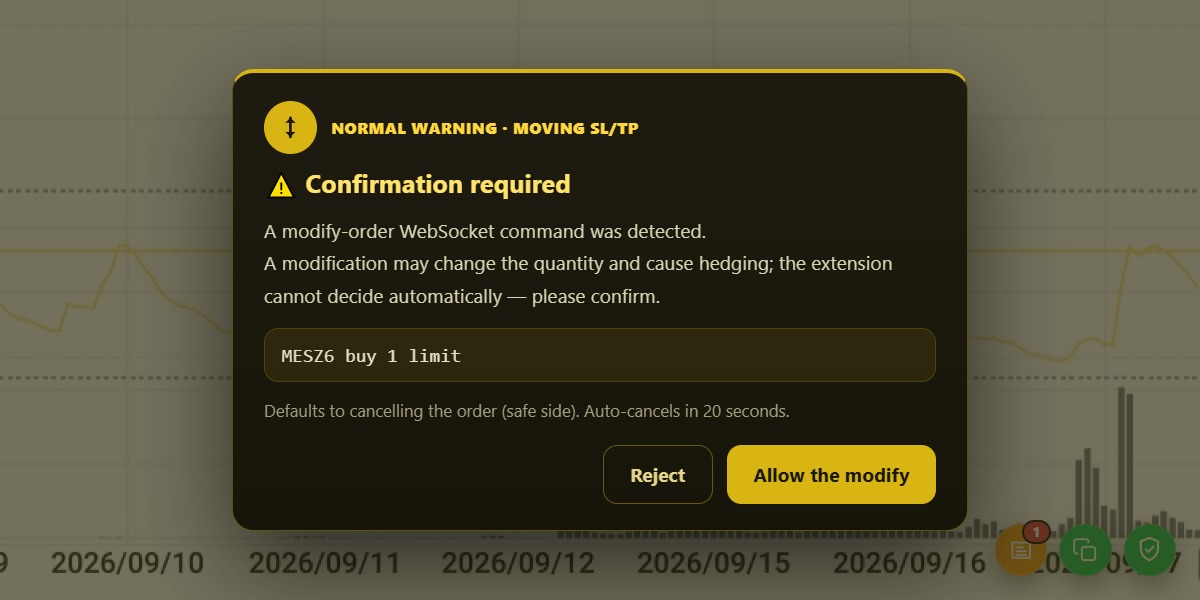
Human check for risky changes
If a modification could change size or create a hedge, the copier asks first — and defaults to the safe side.
Built for multi-account traders
Everything you need to trade several Tradovate accounts in lockstep — plus a few safeguards you'll be glad you have.
Local-first by design
Account tokens and order data stay on your own PC. Nothing is routed through third-party servers.
Multi-account panel
Place one order and send it to any selection of your Tradovate accounts at once, with per-account multipliers and limits.
Hedge guard
Detects when a new order would take the opposite side of another account's position and blocks it before it is sent.
Auto stop-loss & take-profit
Optionally attach stop-loss and take-profit brackets to copied orders and panel orders, in points, ticks, or USD.
Scheduled flatten
Flatten all accounts at a chosen local time, every day, with a 30-second countdown you can cancel.
News alerts
Get warned before major US market events (FOMC, NFP, CPI, unemployment) with optional auto-flatten at the moment of release.
Your data never leaves your machine
- ✓Account tokens and order data are stored only on your own PC, encrypted with Windows DPAPI.
- ✓Orders go straight from your machine to Tradovate — there is no relay server operated by us.
- ✓The app collects no telemetry: no analytics, no error reports, no account data — ever.
Download
Install the companion, then activate it with the included 7-day trial or with a license key you already own.
Windows Desktop Companion v1.4.1-beta
Connects to the Tradovate desktop client on your PC and mirrors your orders across your accounts — locally, in real time.
Slow download from our site? Use a cloud mirror:
Browser Extension v1.8.1
Local multi-account trade copier with hedge blocking. Data never leaves this machine; no third-party servers.
The CRX package can currently be installed directly only in 360 Browser. For Chrome or other Chromium-based browsers, enable Developer Mode and load the unzipped ZIP package.
Upgrading? Unzip the new version over your existing extension folder, then click "Reload" in chrome://extensions — do not install into a new folder or uninstall first, or activation may be lost.
License & Pricing
Try every feature free for 7 days. When you're ready, pick a subscription or a lifetime license at checkout. Each license activates up to 2 devices.
Already have a key? Open the app and activate it on the welcome screen. Questions? yanchuang520520@gmail.com
Trading involves substantial risk. Please read the Risk Disclosure before using the software with real accounts.